How to Manage Security When You’re Expanding To Multiple Locations
Growth changes more than your headcount and square footage. It changes how you manage security, too.
When you operate one location, security issues can be relatively straightforward to oversee. You know the building, the alarm system, who has access, and what normally happens there. But once your business expands to several buildings or across different cities, you can no longer be everywhere at once.
We see this regularly with businesses that grow from one location to several. The person responsible for security might be a facilities manager, operations manager, supervisor, VP of finance, or even the owner. Whoever it is, they suddenly have more to manage, often without any additional time to do it.
For multi-location businesses, effective security is about more than adding equipment to each new building. It requires security solutions that make it easier to manage people, systems, and responses across multiple sites.
Standardize How Security Is Managed Across Your Locations
When every location has a different security system, managing those sites can become unnecessarily complicated.
Employees who move between locations may have to learn different alarm procedures. Managers may need to use different platforms to check system status. New employees may be unfamiliar with how to operate the system at a particular facility.
Where practical, we recommend standardizing security systems across locations. That doesn't necessarily mean every building needs exactly the same equipment. A warehouse, office, and retail location will have different security needs. But where the same type of system can be used, consistency makes it easier for employees and managers to operate.
It can also help address one of the common causes of false alarms: user error. When employees encounter familiar systems and procedures across locations, there is less room for confusion.
The goal is to make security easier to understand and manage across the organization.

Use Remote Access to Manage Issues From Anywhere
One of the biggest challenges of managing multiple locations is what happens when something goes wrong, and you're nowhere near the building. Remote access to security systems can change that.
If an employee calls after hours because they can't arm the alarm, remote access can often solve the problem. The person responsible for the building may also be able to receive an alert, check the system status remotely, and determine whether the issue needs immediate attention. That distinction matters when you're responsible for several locations.
An issue can be important without being a 10 p.m. emergency. Remote access and monitoring give facilities and operations teams more information so they can make that decision before sending someone across town or calling in a technician.
Professional monitoring can also provide another layer of response when an alarm is triggered. Depending on the system and monitoring arrangement, an alarm signal can be verified and the appropriate response initiated without relying entirely on someone at the business to notice the problem. That becomes increasingly valuable as the distance between a business and its locations grows.
Plan for the People Using the Systems
Business security is only useful if employees know how to use it. We see this become a challenge when companies go through a major hiring period or when they open a new location. Suddenly, there are dozens of new users who need access to the building and need to understand what is expected of them.
Simple documentation and training can prevent many of these problems, including false alarms. We work with facilities and operations teams to identify what should be included in their onboarding materials, such as how employees should use the alarm system, what they need to do when arriving or leaving, and what to do if something doesn't work as expected.
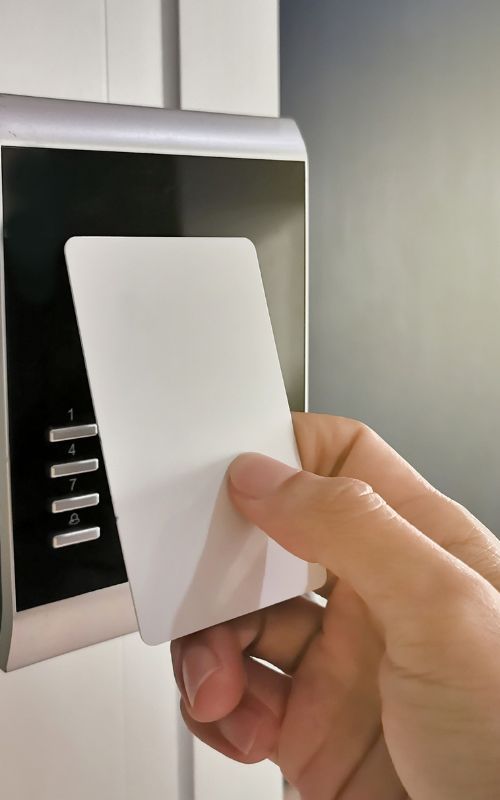
This is particularly important with access control. When employees are added to an access control system, businesses need a clear process for managing who has access to which areas and updating that access when roles change.
It's also worth reviewing these procedures whenever staffing changes occur. A security system may be easy for an experienced employee who has used it for years, but that doesn't mean a new employee will instinctively know what to do. As a business grows, security onboarding needs to grow with it.
Every Location Needs Its Own Contingency Plan
Expanding into another city or region introduces another layer of complexity: the contacts and procedures you rely on at your existing location may not apply to the new one.
We encourage multi-location businesses to establish local contingency plans before they need them. A glass company that covers your original site may not service a location two provinces or even two towns away. Finding that out after a break-in, with a smashed window and nobody to call, is the wrong time to learn it.
Local requirements can also vary. Alarm permits, false-alarm procedures, police response, and other requirements may be different depending on the municipality or jurisdiction. A useful question to ask before opening a new facility is: If something goes wrong here at 2 a.m., who is responsible for responding, and what exactly are they supposed to do?
The same applies when you're expanding an existing facility. Construction areas, contractors, and newly finished spaces can introduce temporary access and security challenges, so it's worth planning how the existing security system will remain protected while the work is underway.
Don't Make Employees the First Responders
A security system should help keep your employees safe, not put them in unnecessary situations. When an alarm is triggered, an employee or facilities manager shouldn't automatically be expected to drive to the property and investigate. If alarm monitoring or video surveillance indicates an active intrusion, the appropriate response may be to contact the authorities rather than sending someone into a potentially dangerous situation.
Security cameras, video surveillance, and motion sensors can also provide useful information about what is happening at a location when the people responsible for it aren't there. Combined with alarm systems and monitoring, they can give decision-makers a clearer picture of an event before determining what needs to happen next.
If someone does need to attend a site after hours, there should be procedures in place for how they communicate with others, who knows where they are, and what safety measures are available.
We encourage businesses to treat these procedures much like other workplace safety protocols. Employees need to know where the procedures are, understand their role and, ideally, practice what they are supposed to do.
Plan Security Before You Open the Next Location
The best time to think about security at a new location is before you open it.
We encourage clients to involve us before a new location opens. We can look at what is already working at their existing locations, identify what needs to change for the new site, and help establish a consistent approach from the beginning.
As a business grows, you won't always be able to be everywhere at once. Your alarm monitoring system shouldn't depend on you being there.
With reliable alarm systems, remote monitoring, access control, video surveillance, trained employees, and clear procedures for each location, your security can become easier to manage as your organization grows.
Frequently Asked Questions
Why does security get harder to manage when a business grows to multiple locations?
When you run one location, you know the building, the alarm system, the people with access, and what normally happens there. Once your business grows to several buildings or several cities, you can't be everywhere at once. Growth changes how security has to be managed, so it needs solutions that scale with the business—not just more equipment at each site.
Should every business location use the same security system?
We recommend standardizing where it's practical, but that doesn't mean every building needs identical equipment. A warehouse, office, and retail location have different needs. Where the same type of system can be used, consistency makes it easier for employees and managers to operate and can help reduce false alarms caused by user error.
How does remote access to security systems help a business manage multiple locations?
Remote access lets the person responsible for a building check system status from anywhere and decide if an issue needs immediate attention, rather than driving to the site right away. We provide 24/7 alarm monitoring and intrusion detection as another layer of response, so an alarm signal can be assessed and the appropriate response initiated without relying only on someone at the business to notice.
What should employee training cover for security systems across multiple locations?
Simple documentation and training help employees learn how to use the alarm system, what to do when arriving or leaving, and what to do if something isn't working. This matters particularly for access control, where businesses need a clear process for who has access to which areas and for updating that access whenever roles change.
What should a contingency plan cover for a new business location?
A local contingency plan should identify who to call if glass is broken, a door is damaged, a sprinkler system has an issue, or another emergency needs immediate service. Alarm permits, false-alarm procedures and police response can vary by municipality, so it's worth confirming local requirements before a new site opens.
Should employees be the first ones to respond to a security alarm?
No. An employee or facilities manager shouldn't automatically be expected to drive to the property and investigate an alarm. If monitoring or video surveillance points to an active intrusion, contacting the authorities may be the appropriate response rather than sending someone into a potentially dangerous situation. If someone does need to attend a site after hours, there should be procedures for how they communicate and what safety measures are available.
A1 Security Systems is a security solutions provider that works with business owners who want to protect their property and their people. We ensure their security 24/7 so they feel safe and comforted in the knowledge that our dedicated security team has got their back. Unlike our competitors we don’t force our clients into long term contracts, and we can handle complex security requirements throughout Canada. Read more about our services on https://www.a1securitysystems.ca/

